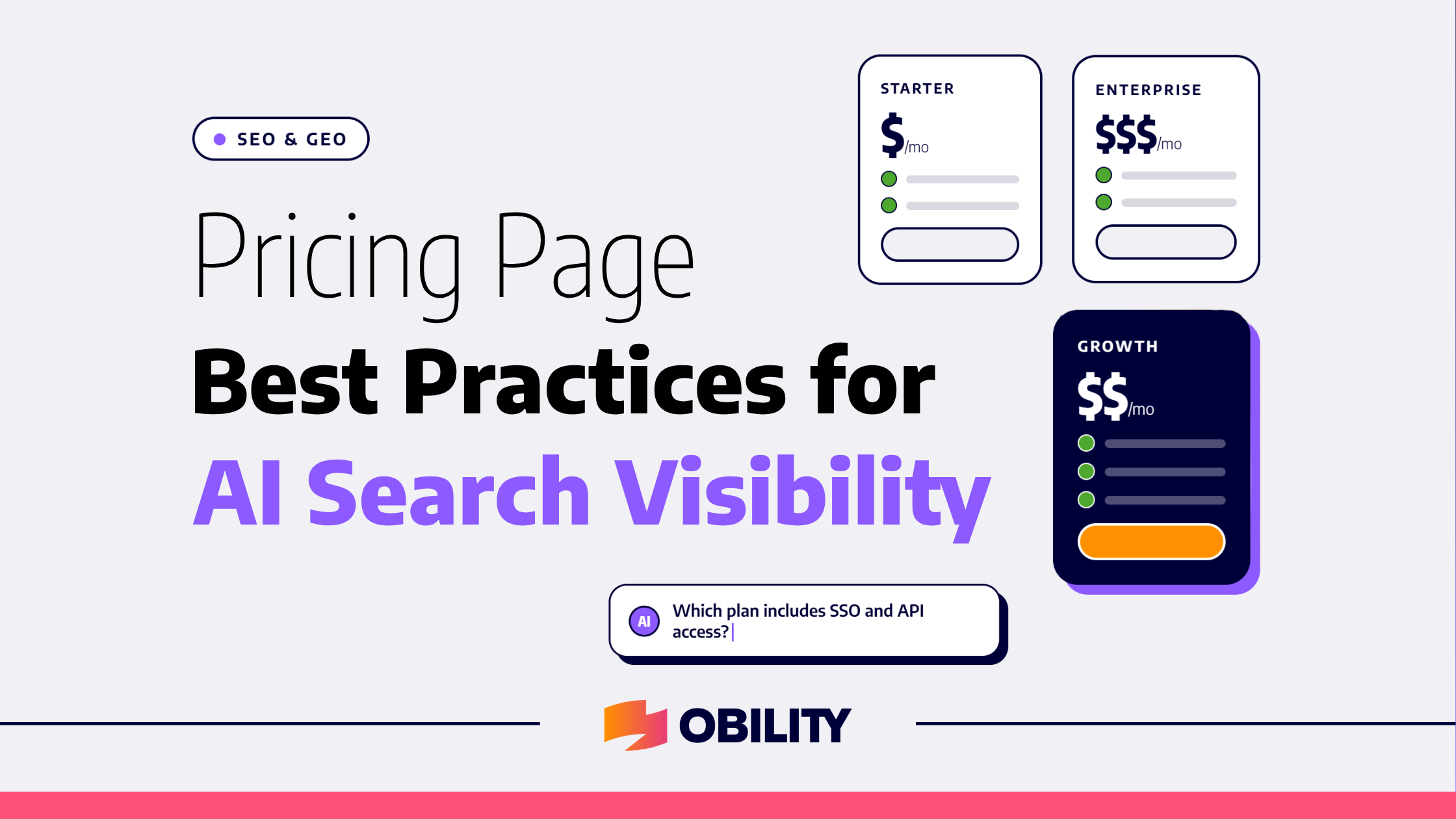
When a buyer asks ChatGPT what software in your category costs, it picks the vendors it considers to be the most relevant and then reads each company’s website directly, including the pricing page. What the AI model can read there, is what the buyer sees.
Transparent Pricing Has Topped the Buyer Wish List Since 2023
A survey of 1,862 technology buyers and 444 vendors shows that 63% percent of those buyers used AI during their purchase journey, 94% checked its answers against another source at least some of the time, and 83% of them shortlisted three products or fewer. All this happened before the vendor (you), even knew that a buyer existed.
But, the challenge with a pricing page is that even if it has less text, it still produces an answer when someone asks what the product costs. An AI model constructs its answer by pulling information not only from a pricing page, but will pull information from a review profile, a competitor’s comparison page, or a thread written by someone with partial information.
What a Crawler Actually Returns From an Enterprise Pricing Page
To see how an AI search engine parses structured data, we ran an enterprise analytics vendor’s pricing page through a scraper in September 2026 to see what information AI agents actually extract and how it organizes and returns that data. The page returned six plan blocks labeled Essentials, Pro, Enterprise, Enterprise, Enterprise and Developer. Three of those blocks shared the Enterprise heading because the web page has two product lines behind a toggle, and the extracted text doesn’t indicate which block belongs to which product line.
The crawl returned prices detached from the plans:
- $25 per user per month, $0.10 per credit
- $25 per user per month a second time
- $50 per user per month, Free for 1 year
- and Free
In that order, as loose strings of text without context. The words User, User, Usage and Usage sit on their own lines, where the billing toggles render.
On the page, the comparison table holds the most detail, but in one fetch, the return shows conflicting terms. One line lists a branded term for the client, with unlimited LLM tokens next to a per-credit rate. Another lists the same feature with 25 monthly queries per user next to a $50 rate, leaving it unclear which plan applies to which set of terms.
The per-credit rate is also unclear and doesn’t include any explanation, providing only a mid-tier cost of $0.10 per credit without a monthly estimate. This leaves procurement teams unable to build a business case or to accurately compare product costs.
Why Structuring Your Pricing Page Matters for AI Visibility
When AI search engines fail to map costs to features, your brand risks being left out of buyer comparisons or misrepresented entirely. Optimizing your pricing layout and markup ensures AI models quote accurate figures, clear tier boundaries, and proper unit metrics directly to buyers during their research phase, reducing the possibility of confusion.
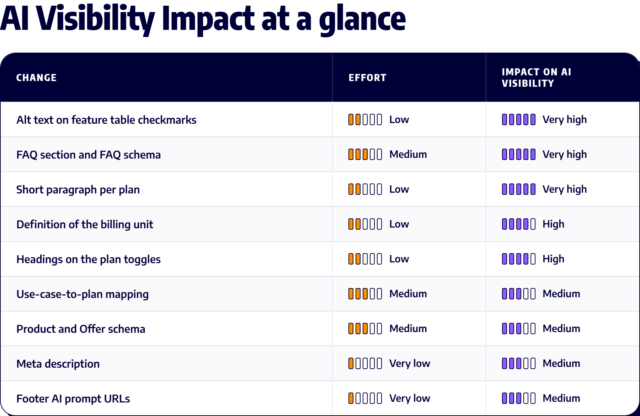
Nine Ways to Make Your Pricing Page More Readable
- Alt text on tables: Usually the table that outlines product features per plan holds the most detail on a pricing page, but often returns as blank images. Including alt text, such as “Included in Pro” turns each feature breakdown into a fact easily aligned to a plan.
- Include headings when using toggles: Sometimes less is less. Avoid using and repeating vague words, such as User or Usage, without including the product line and billing model in the heading.
- Summarize plans below the feature table: In our example, 10 pricing strings came back without a plan attached, and three of those blocks shared the Enterprise name. Including a paragraph with the name of the plan, its starting price, the buyer it suits, and two or three features that separates it from the other tiers (or toggles) will help eliminate confusion. The paragraph is supplemental to the feature table.
- Detail each billing unit: In our example, the per-credit rate rendered without anything converted into a monthly figure or a definition of what a credit entails. Define what generates a credit use, then show what a 30-person team generally consumes (in credits) per month.
- An FAQ section with FAQ Schema: Question & answer content matches how people phrase search queries, making it the easiest content on a page for an AI model to pull. Include the answers (and questions) on how pricing works, explaining differences between different pricing models, like user vs usage, how the cost (and features) compare to your top two to three competitors, etc.
- Use-case-to-plan mapping: A short section matching buyer profiles to plans gives enough context for AI models to recommend a tier, and answer plan-fit questions on their own. A 30-person analytics team, a software company building embedded analytics, and an enterprise with thousands of users cover most of the range.
- Product and Offer schema markup: Using structured data schema explicit for products and offers allows search crawlers and AI agents to programmatically parse pricing tiers, features, and billing intervals without relying solely on page visual layout.
- Include meta descriptions: Providing a structured summary of tier names, pricing anchors, and key features in the page meta description provides search crawlers immediate and clear pricing signals.
- Include source URLs with /pricing on footer AI prompts: Ensure footer prompt widgets reference the explicit pricing URL so AI prompts return specific cost breakdowns rather than generic company overviews.